


Technical Lead of D 365 FnO
What is an approval workflow?
An Approval workflow is a SharePoint feature that routes a document or other item stored in a SharePoint list or library to one or more people for their approval or rejection. The workflow automates, streamlines, and standardizes the whole process.
Why Are Approval Workflows Important?
Approval workflows are important because they help ensure that critical business processes are executed efficiently and accurately. They provide a structured way for stakeholders to review and approve important decisions, which helps to minimize errors and ensure that all parties are in agreement. Without approval workflows, decisions could be made without proper review or input, leading to mistakes, miscommunication, and delays. Every business is entitled to many approval-seeking processes that can impact operational speed and business execution.
How are approval workflows available in D365 Business Central?
In Dynamics 365 Business Central (D365 BC), approval workflows are integrated features that allow businesses to automate and manage approval processes for various operations, such as purchase orders, sales quotes, payment journals, and expense reports. These workflows are designed to ensure that transactions are reviewed and approved by the appropriate personnel before they are processed, enhancing control and efficiency within the organization.
Methods for Approval Workflows in Dynamics 365 Business Central
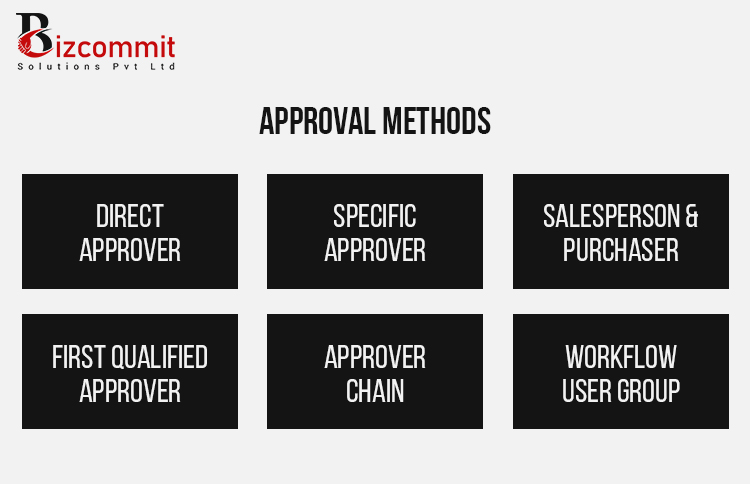
In Dynamics 365 Business Central, six different approaches for approval have been developed in order to simplify and personalize the approval process. All techniques provide alternative ways of designating and guiding the approval requests depending on the structures and the preferences of organizations.
Direct Approval Method
Your team can use approval routing that uses the direct approver that is assigned to the requestor of the request in order to provide a clear and personalized approval flow.
Specific Approver Method
Users may direct approval requests to a defined specific user regardless of the initiator, making it possible to have a consistent and predetermined workflow configuration.
Sales Person and Purchaser Method
This approach uses the salesperson and buyer codes linked to the file or records to find the approver, making it possible to assign the approval depending on how the roles are defined in the ‘approval user setup page.
First Qualified Approver Method
First, users can request approval from the first qualified approver that may be modified according to the amounts related to sales, purchases, and requests in the approval user setup page depending on the specified amounts in the approval user setup page.
Approver Chain
In comparison to the first qualified approver method the approver chain grants a request to every person in the chain yet the approval is only recorded when a qualified approver acts allowing for a wider distribution of requests while still maintaining efficiency.
Workflow User Group
This approach allows a group of users to be selected to receive approval requests consecutively or all at the same time. Members of this group can approve requests either individually or in groups, allowing to flexibly handle approval processes.
How to Setup Your Users to Optimize Your Approval Workflows in Dynamics 365 Business Central
The Approval User Setup page is an essential tool for setting up approval methods, defining business relationships, and establishing criteria for successful processing. The following figure shows a closer view of the approval user setup page and the fields where the different methods are established.
• Direct Approver Method: This is based on the approver ID field, which defines the direct approver.
• Sales Person and Purchaser Code Method: It involves the establishing of relationships between salesperson/purchaser codes and users in defining the basis of approval routing.
• First Qualified Approver Method: Uses set values in the setup screen to determine who can authorize requests based on defined parameters. For example, only approvers with the relevant qualifications can approve a purchase order of $11,000.
• Approver Chain: Combines the approver ID and qualification criteria to find the chain of approvers. It runs down the chain until it locates an acceptable approver, promoting an organized process of approval.
On the Approval User Setup page, you have to configure All approvers and approval. Such users also include those involved in approval processing even for approaches like Workflow User Group that is has a different setup for user assignment.
For those looking to fortify their Project development team or seeking expert assistance in building secure applications, Bizcommits is here to help. With a team of skilled developers and a proven track record of delivering secure and scalable solutions, we can be your trusted partner in the ever-evolving realm of application Development. Ready to discuss your project? Contact us today!










 Process
  About Us
  Careers
  Management